
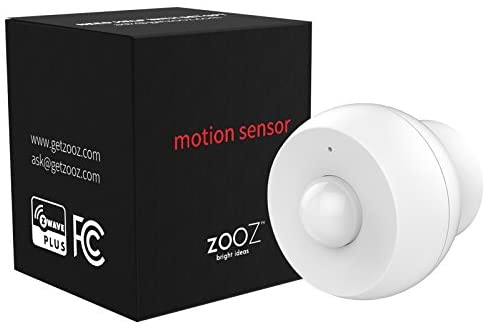

Zooz Z-Wave Plus S2 Motion Sensor ZSE18 with Magnetic Mount, Works with Vera and SmartThings
$37.95
- FAST DETECTION: Reports motion to your Z-Wave smart home system reliably. Great solution for light automation and security monitoring. Z-Wave hub required, sold separately. Custom handler needed for SmartThings (contact seller for details). NOT supported by Wink, ADT, Vivint, or Alarm.com.
- EXTRA FEATURES: Adjustable motion sensitivity and retrigger time. Built-in Z-Wave range test tool for easier network troubleshooting. Vibration reports on SmartThings and other selected gateways.
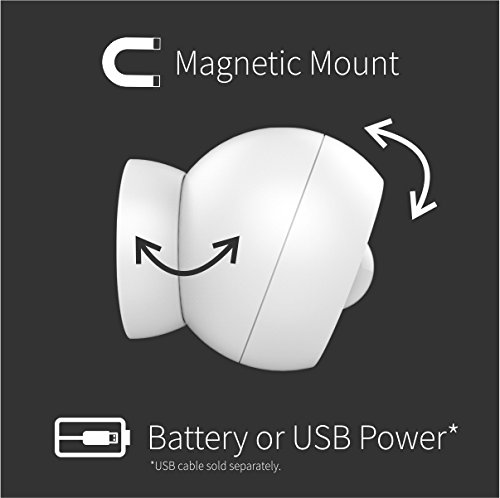
- 2 POWER SOURCES: Runs on a single battery for up to a year (depending on traffic and settings) OR on micro USB cable (NOT INCLUDED). Acts as signal extender when connected to USB.
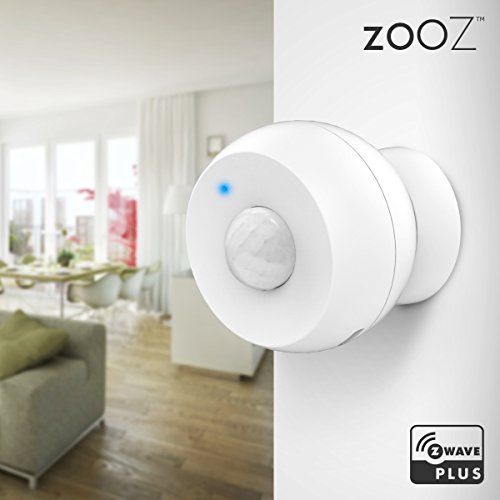
- FLEXIBLE DESIGN: Extremely small and light, the sensor sits in a perfectly shaped magnetic mounting base for precise and firm positioning.
- CERTIFIED SECURE: Uses the latest S2 Z-Wave protocol and AES-128 signal encryption. Z-Wave Plus chip for longer range and increased battery life.
Specification: Zooz Z-Wave Plus S2 Motion Sensor ZSE18 with Magnetic Mount, Works with Vera and SmartThings
| Package Dimensions | 2.1 x 2 x 2 inches |
|---|---|
| Item Weight | 0.81 ounces |
| Item model number | ZSE18 |
| Batteries | 1 Lithium Metal batteries required. (included) |
| Is Discontinued By Manufacturer | No |
| Date First Available | June 29, 2018 |
| Manufacturer | ZOOZ |
9 reviews for Zooz Z-Wave Plus S2 Motion Sensor ZSE18 with Magnetic Mount, Works with Vera and SmartThings
Add a review
Related Products
Added to wishlistRemoved from wishlist 0

Added to wishlistRemoved from wishlist 0

Added to wishlistRemoved from wishlist 0
Jared B. –
Okay so, at first when I paired this to my Smartthings hub, it was listed as a contact door/window sensor. So, no motion notices even though you could tell by the led light that it was sensing motion. Unpaired and tried again with the same results. After some fairly extensive google searches, I came across a device handler in github that you could add to smartthings. This was being discussed as being a generic motion sensor device handler that could be used to pair this specific device and be able to access the settings so that you could control how ofter it checks for motion, etc.
So I added that to my smartthings api and attempted a repairing and lo and behold, it pairs as a motion sensor. Afterwards I was able to go into its settings in smarrthings and fine tune it to my needs.
I personally don’t have a problem with adding a specific device handler to my hub in order to make things work, but it should be made known to the buyer before purchase that this extra programming work will be necessary. Otherwise it seems to be working fine. I put it in my bedroom to control the lamp and with a custom-made webcore piston it works like it should. I do like the little magnetic sticky pad that comes with it. If you wanted to just stick it to a wall you can stick the small round pad to the wall and the sensor will magnetically cling to it. Which means you can put it in the corner somewhere and it would be barely noticeable. I believe with the generic handler you can have some sort of control over the range that it sees as well.
So far it hasn’t been tested too much but as I said, the only gripe would be the extra work to make it pair as it should, not being able to prepare for such beforehand, and not including some instruction to the proper handler for the device to work as it should. I may come back and update this after it has been used some more.
Dennis VW –
I’m using this motion detector as part of my SmartThings home automation. The Samsung motion detector was the best one I’ve found, but it is no longer available. Although not quite as good as the Samsung unit, it’s still far better than several others I have tried. The magnetic mount is absolutely brilliant. I wish other manufacturers would learn from this innovation. Repositioning the sensor angle to get the perfect coverage angle is as easy as it could ever get – just move it slightly with your hand, and it always stays put exactly where you position it. When I first added it to my hub, the controls that were available were too limiting. Fortunately, there is a “driver” available from the SmartThings Groovy IDE web platform that you can copy and load to the hub which gives the sensor far better controls. It really did the trick to allow me to adjust the trigger sensitivity and reset times. All in all, I highly recommend this sensor. I super love the magnetic mount, and the “driver” customization enables me to have the level of control I need for my home automation. I am concerned that the battery may not last very long as a fresh battery was already showing less than 100% after only a couple of weeks use. I was hoping to get at least one year from the battery as my other motion detectors do. Time will tell.
Amy West –
One of the things I like about the Zooz brand, is the ability to configure the devices. I have a Zooz dimmer switch as well as this motion sensor and unlike the other GE switches and Smartthings motion sensor, there are configurable settings on these. I am on the Smartthings platform.
For the motion sensor, it is working well so far. I have it turning on a bedroom light when triggered. In my case, there was no “tab” to pull to engage the battery upon unboxing. The battery was wrapped in plastic and required completely removing.
Initially, the motion sensor kept triggering despite there being no motion. I couldn’t figure out why. I had placed the sensor on my dresser (which also housed the DVR cable box) and this motion sensor out of the box is setup to also detect movement. I guess the hard drive movement in cable box was causing some vibration that this sensor was picking up. I disabled the “shock alarm” and this resolved that problem.
I’ll report back if any issues arise hereafter.
Jay S –
Simple and straightforward to setup with SmartThings
– Website has all the information you need; how to setup, how to download and apply the integration piece for the SmartThings hub
– The instructions tell you to use the SmartThings Classic app, but the new Samsung SmartThings app worked just as good
– I originally set it up on Battery power; but then wanted to take advantage of the repeater and plugged in the USB. The app wouldn’t detect it was on USB, it would show battery. So, excluded it from the hub, factory reset the sensor, added it back with USB power – and now it shows on USB power.
UPDATE – Although you can use the new Samsung SmartThings app – you will need to use the Classic app if you want to set/change any of the settings.
Flavian –
Small and easy to
Integrate into home decor. Works well , fast and accurate. Only issue is the special device handler needed for Smartthings integration. . Even though it’s Zwave plus certified , ST requires a special device handler which is available on the ST GitHub community site.
Battery consumption is moderate and depends attributes atbsetup time – such as sensitivity.
Phil De –
Setting this sensor up with my Vera Secure was painless — I added it as a Generic Zwave device and it was paired with no troubles. It creates two devices, one for the motion sensing function, and one parent device with which you can set the device parameters.
The device is less sensitive than I expected. I’m using it in my kitchen as part of a motion controlled lights on/off setup, so I needed it to trigger no more than about 10 feet or so from where the sensor is. It didn’t work reliably at all at the default sensitivity setting of 4, and I had to crank it up to the maximum value of 8 to get it to work for my case.
My only “mild complaint” was that the battery was tightly shrink-wrapped in plastic. This “old guy” thinks that it should be a requirement to be arthritic in order for one to be allowed to design packaging!
I really like the magnetic mount concept — it’s really flexible and easy to adjust. But in order to make it magnetic, the the sensor “ball” has a hemisphere of metal on the inside of the plastic cover. It makes me wonder if that affects the range of the Zwave signal or at least makes the antenna pattern very directional. I have not seen any signal reception problems though.
Allistar –
this is the worst Motion sensor I have installed. It is unreliable. Do not wait for your lights to come on using this you will be in the dark. I purchased two of these wishing it was a good bargain. I am wrong. It pays not to buy when things are inexpensive. I have over hundred automation things in my house. Function of this is totally unacceptable.
Joe –
Affordable, small and great looking. It was easy to pair it to my Z-Wave System (I use Home Assistant). I bought three of them because they are the only affordable Z-Wave motion sensor I could find and they work as expcted!
They are not pet immune, so it triggers to my cats and dogs passing. I personally use them to turn on and off lights so it’s not an issue.
NOTE: if you intend to use it on battery, DO NOT INCLUDE IT WHILE USB-POWERED. It will be included as “permanently powered”, act as a repeater and kill your battery in a few days.
SN –
I bought one to automatically turn the lights on and off in my powder room.
I use OpenHAB as my controller, and it didn’t take me that long to create a scripted rule for the sensor to turn a light on or off based on the state of the sensor (there are samples on the OpenHAB support site).
The Good Parts
* Nice design
* Small
* Magnetic mount
* Comes with wall mounting hardware (double-sided tape or screw with anchor)
* Relatively easy to aim
* Battery or USB power
* Includes battery
* Easy to add to the Z-wave network
* Latency between motion sensing and the light coming on is pretty good. Feels almost instant.
* Price is OK
Could Be Better
* I would have been happier if the price was in the $20-25 range, but it seems like all Z-wave motion sensors are $30+