
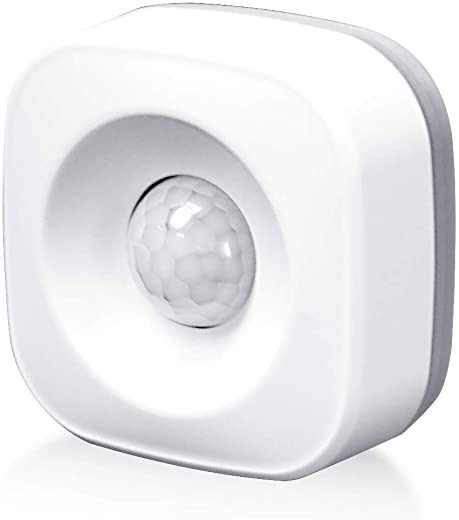
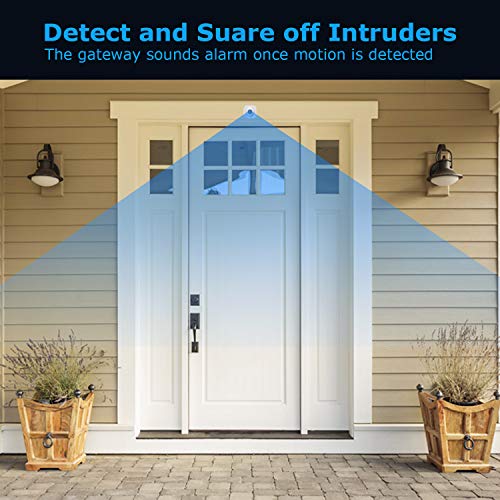


AGSHOME ZIGBEE Motion Sensor for Echo Plus Echo Studio & Echo Show 2nd Generation
$14.99
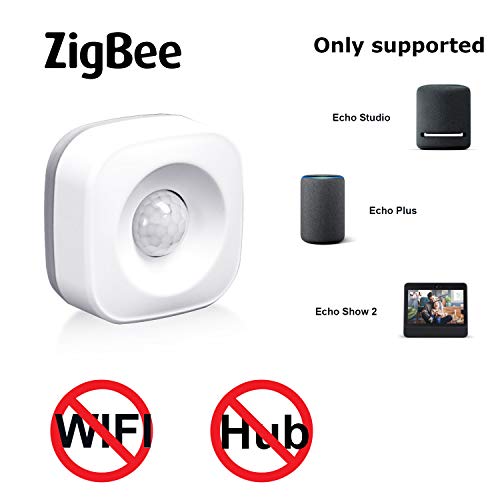
- Compatible with ECHO PLUS(Can not see the status in the alexa app), ECHO STUDIO, ECHO SHOW 2 Gen, DeConz, RaspBee, Hubitat Elevation This is not WIFI device. Not compatible with Philips Hue! PLEASE refrain from purchasing if have no idea about Zigbee or do not own a compatible Zigbee Gateway.
- This Zigbee Motion Sensor is fully compatible with Amazon Echo Plus and Echo Show 2nd Gen. Expand your Echo’s Zigbee functionality(not compatible with smartthings)
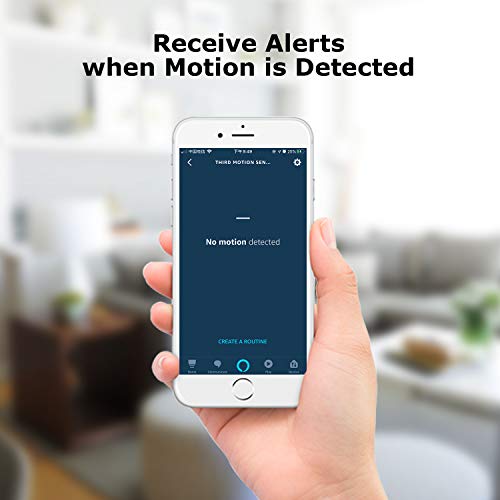
- Easy setup, simply reset the device and ask Alexa to discover new devices. Once the motion sensor is added, it is possible to create all types of pre-defined routines in Alexa app
- Multiple ways to use with Alexa routines, e.g. You may set it up to have your Hue lights switched on when a motion is detected, and switch them off when there is no motion for a certain period
- The smart sensor required hub, it’s works with 3xAAA battery and it can work continuously for 6 months in 2 min mode(4min mode up to 12 months) (batteries not included). please Read connecting steps on image or the instruction manual which in the package first before the smart sensor was installed.
Specification: AGSHOME ZIGBEE Motion Sensor for Echo Plus Echo Studio & Echo Show 2nd Generation
| Package Dimensions | 2.8 x 2.68 x 1.34 inches |
|---|---|
| Item Weight | 4.6 ounces |
| Batteries | 2 AAA batteries required. (included) |
| Date First Available | May 23, 2020 |
| Manufacturer | shenzhen daping computer co,.ltd |
6 reviews for AGSHOME ZIGBEE Motion Sensor for Echo Plus Echo Studio & Echo Show 2nd Generation
Add a review
Related Products
Added to wishlistRemoved from wishlist 0
Added to wishlistRemoved from wishlist 0

Added to wishlistRemoved from wishlist 0
NikkiRoxi1 –
I bought 4 of them, but I have only installed one so far. Trying to figure out where I will use the others. I bought two for my home and two for my Parents’ home. The one that is currently in use is at my Parents’ home. They have a covered front entryway. So it shouldn’t get wet if it rains and hasn’t thus far. I used to have a motion light out there. I replaced that light with this Motion Sensor and added a WiFi bulb in the regular light socket above the entry. I created a Routine so now when someone approaches that area at night the light comes on and all the Echo devices announce “Someone is at the Front Door”. In the daytime the light is set not to come on, but it will still make that announcement about anyone being near the door. Since they do not live on a busy street and you would have to be intentional about being near their front door since it is so far away from the street. It isn’t likely to have false alerts. With the exception of a cat. Which I think the cat set it off because he might have leaped off of one area in the view of the sensor. It works and I sure hope the remaining three will as well and if they do not work I will certainly change my review.
EDIT 11/23/20: I have used two more of the four I purchased this past summer for $3 less might I add. I can’t believe this cost $20.99 now. Why is that? Anyway, at my home two of my Sylvania Motion Sensors just stopped connecting to my Echo Show. So I pulled two of these AGSHOME sensors out and they are working. The one I used at my Parent’s house is still working too. Like I mentioned the entryway is covered so the rain does not effect it. However the Sun and shadows are another thing, it really is sensitive to any type of motion so keep that in mind. I thought about buying more but $20.99 makes me want to skip until a sale. Black Friday is in a few days. I hope the price drops.
Mike M. –
This review is for the Motion Sensor.
Bought this to use with the Echo 4th Gen
Here’s what I did to get it to work. Opened my Alexa app on my phone, Selected “Devices”, Tapped on the plus sign at top right to add new device. Tapped on ‘Add Device’, then scrolled all the way down to ‘Other’. Tapped on that and before I tapped on ‘Discover Devices’ at the bottom of the screen I switched the motion sensor on, took the reset needle that came with the motion sensor and found the reset hole (which is under the mounting plate, remove that first) and pressed it in for about 6 seconds. The indicator light started blinking red. Then I tapped “Discover Devices on the app and it found it pretty quick. When i moved it my Alexa app said it detected movement. It also sugested that I set up a routine for it so I thought I was all set. I set up a routine and went to try it and nothing… would not sense any motion at all… I was ready to pack it back up and send it back but decided to turn it off and turn it back on… and viola, it’s been working ever sense.
I will say that using it with the Echo hub and Alexa does not allow you to change any settings. It takes about 4 minutes to reset after it goes off before it will detect movement again. And I don’t see any way to change that.
Also it won’t work if it’s behind a double pane window. I sat it on the window sill looking out on my back porch and went out and did jumping jacks and it wouldn’t go off. Came back inside and moved it and it notified me of movement. Go figure.. I stuck it in the mail box for now and it lets me know when the mail’s been delivered.
Shows in description as TUYATEC-zn9wyqtr smart device.
Alexa app named it ‘First Motion sensor’
Hope this helps anyone else that orders this to work with Echo 4th Gen.
Naaman Geist –
This was the first of two door sensors I purchased of this brand, the second being the wifi version. Both versions are very unreliable but this one is worse by far. I spent several minutes, if not hours, fiddling with this trying to get it connected and staying connected via the Alexa app. The Smart Life app couldn’t even find it. It just said I needed to connect a hub first and my Echo Studio’s hub couldn’t be found either. Alexa was the only app that I could even get to find it but couldn’t get it to work reliably. Magnet and sensor was perfectly aligned and nearly touching. I then purchased their wifi version and got slightly better results but they didn’t last. After a couple days, it quit working also. I ended up purchasing another brand that claims a 1/4 mile range. It’s about 3x the price of this one but it works great and comes with a hub and 2 sensors.
MD –
Pairing with Echo Studio is more difficult than I thought. I have several of these. Here are something that I tried to make it work:
1. Replace the battery that comes with it then do a reset. The ones that came with mine were bad and I was banging my head trying to figure out why it didnt work.
2. If Echo still didn’t find the device, try restarting the Echo by unplugging and plugging again. That did the trick for me.
The motion detector is great when detecting the motion, but no motion takes a while (about 40-60 secs) even if the Alexa routine was set at 0 minutes
Jeremy Bullard –
I’m able to get the Echo Plus to add the device then it just says “There was a problem” and shows the contact sensor as constantly closed. Can’t add the Echo Plus to the Smart Life App either. Wasted hours trying to get it to work.
R –
Works with Smartthings despite another 1 star review claiming it not to be. I tried using both the motion sensor and contect sensor and they both paired after resetting them by holding reset button for 5 seconds. They will be detected as “Thing”, you will need to switch them to the right device handler in IDE. “Smartsense Motion Sensor” for Motion sensor and “Smartsense Open/Close Sensor” for Contact sensor does the job. They work locally and not on cloud, so they are pretty fast. Motion sensor uses 3 AAA batteries and Contact sensor uses CR2450. They seem to be offline sometimes, but come back online when a change is detected. Hence the 4 stars. I m not sure if it is the hub or the devices causing it to show offline. Also, these sensors do not have temp reading. But battery reporting is working fine. Another issue with the motion sensor is, it mentions selecting a cooldown period, but I m unable to find how to set it up.