
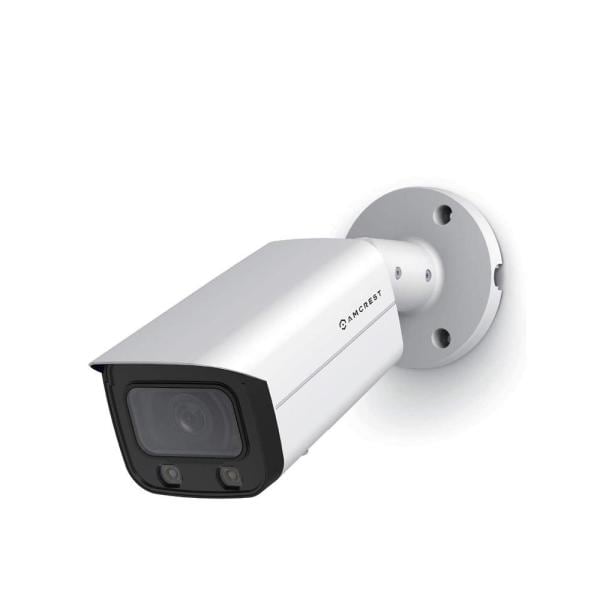




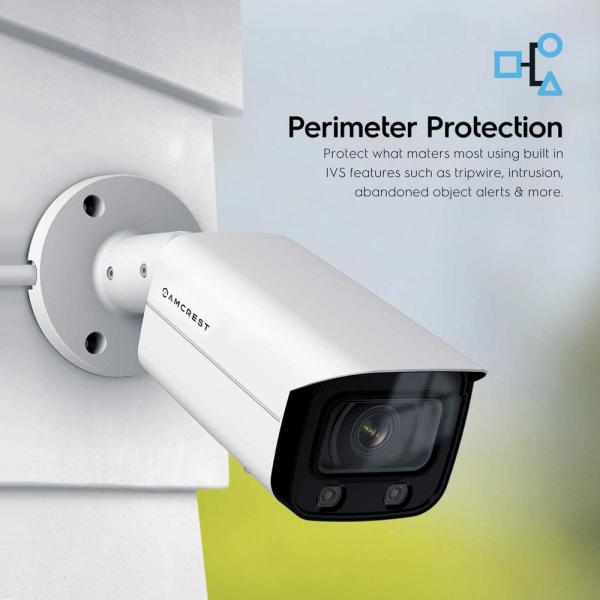
4MP UltraHD Wired PoE Bullet Security Camera with 66 ft. Full Night Color, 2-Way Audio, Cloud, 113° FOV, 2.8 mm Lens
$189.99
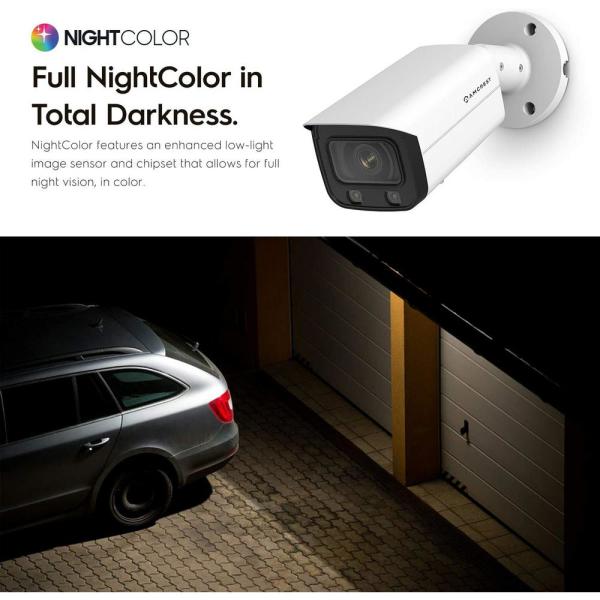
Magnificent 4-Megapixel/2688 x 1536p at 30fps video with enhanced low light capability on this POE outdoor camera utilizing a CMOS progressive image sensor and a chipset, the Amcrest UltrHD camera soaks in the entire scene, dynamically painting all the vivid colors and rich imagery, pixel by pixel, onto your computer screen or smartphone in full 2688 x 1536 resolution at 30 frames per second (FPS). No need to strain your eyes, lean in close, or play the guessing game when you have this level of detail. Cutting-edge Night Color technology allows you to get a crystal clear picture even when it’s dark. This camera has 2 IR LEDs which transmit their infrared rays in a frequency imperceptible to the human eye. The IR lights cast brightly which provides an astounding 66 ft. of Night Color range. With this powerful feature, you can gain total awareness over the previously unseen and do so in a way that is undetectable.
Specification: 4MP UltraHD Wired PoE Bullet Security Camera with 66 ft. Full Night Color, 2-Way Audio, Cloud, 113° FOV, 2.8 mm Lens
| Product Depth (in.) | 9.61 |
|---|---|
| Field of View | 110 Degrees |
| Product Width (in.) | 3.11 |
| Cable Connection | Ethernet |
| Camera Connection | Wired Cameras |
| Camera Product Type | Standard |
| Camera Resolution | 4MP |
| Camera Technology | IP |
| Camera Type | Bullet |
| Color/Finish | White |
| Features | Built-in Microphone,Built-in Speaker,Day/Night Mode,Motion Activated,Night Vision |
| Product Height (in.) | 2.99 |
| Included | No Additional Items Included |
| Image Sensor Type | CMOS |
| Indoor/Outdoor | Outdoor |
| Night Vision Distance (ft.) | 66 |
| Number of Cameras Included | 1 |
| Pack Size | 1 |
| Power Options | Plug-in |
| Product Weight (lb.) | 1.80 |
| Recording Storage | Cloud,NVR,SD Card |
| Returnable | 90-Day |
| Video Signal | HD |
| Manufacturer Warranty | 1 Year |
2 reviews for 4MP UltraHD Wired PoE Bullet Security Camera with 66 ft. Full Night Color, 2-Way Audio, Cloud, 113° FOV, 2.8 mm Lens
Add a review
Related Products


CC –
This is a heavy duty outdoor camera came with a detailed instruction on how to setup the camera with multiple storage options and viewing options. The camera itself weights about 2 pounds. The installation was very straight forward even for some like me who does not have any experience installing surveillance camera other than a video doorbell. After reading the instructions I decided to go with the SD card option with PoE connection. There is another option to use the 12v port to power the camera which is nice for those who has existing camera installed and wanted to upgrade. To insert the SD card, I unscrewed the two screws on the bottom of the camera to open the access panel and the card slot is right in the middle.
After the SD card is installed, connect the ethernet cable to the camera. (Note: ethernet cable must be connected to a PoE switch, NVR or PoE injector to power on the camera; connecting it to a router won’t turn on the camera) I used a PoE injector for my setup and it is NOT included in the package and need to buy separately and usually cost a few bucks. Camera automatically turns on after connecting the ethernet cable. (Note: make sure to format the SD card in FAT32 format to work properly!) It also allows users to choose from cloud storage (free 1 month motion recording), SD card (up to 256GB storage), NVR, and NAS storage options.
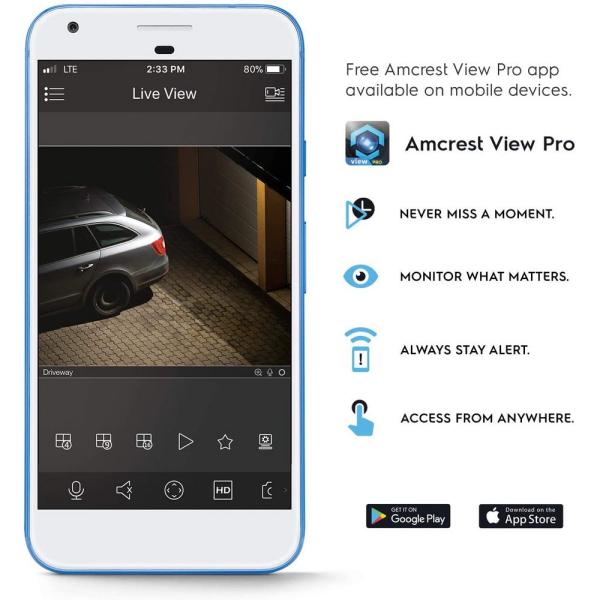
The camera can be managed by 4 sources: smart phone, PC browser, Amcrest Surveillance Pro software, and Cloud. I used the iOS app Amcrest View Pro app for my situation since I only need recording and live view. The initial setup was very simple, all I did was followed the instructions to turn on the camera, select P2P connection, scan the QR code on the camera, and give a name and password to the camera. That’s all it takes and finished under 3-minutes! After the initial setup screen, it will guide you the user interface and explain each function. I also found there are ways to use the camera without internet connection from the Amcrest knowledge base by searching “How to access your camera locally without internet”. I can change the video quality from the app by selecting SD (480p) or HD (1080p) image quality. Be aware of HD quality does take longer for the live view to update and takes larger storage space for the higher quality recording.
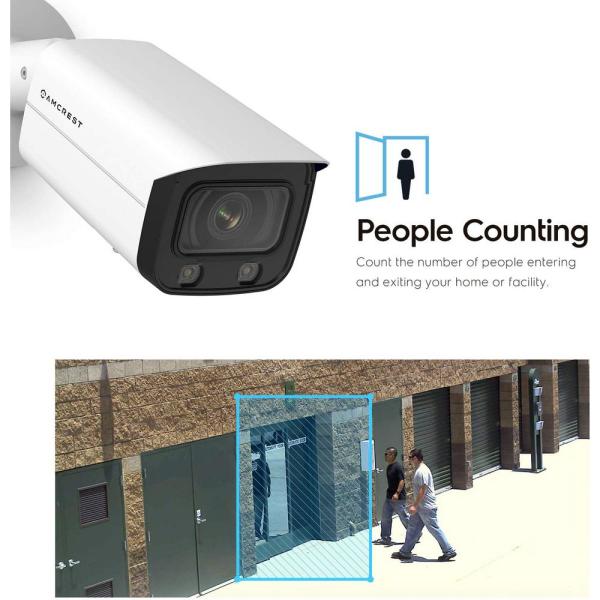
The mobile app has very limited and only basic functions available at the time I installed my camera and hopefully they will update the app and rollout more features. If you want other functions such as people counting, heat map, tripwire, parking detection, and advance setup. You need to install the Amcrest Surveillance Pro software on your computer and set up rules for those features. Please refer to the user manual on how to setup those with detailed and easy follow instructions.
The night function of this camera is great from the screenshots of my dark basement stairwell. One thing that frustrates me and other users is that the LED lights can NOT be turned off at night or when there’s low light. I guess the reason being it does not have an infrared sensor for night vision. This is the only downside I have with this camera and hopefully there will be a firmware update to allow the LED to be turned off at night.
In terms of the build quality, there is no doubt this is a solid, smooth, high quality camera from the weight of it. The entire camera body is made of aluminum alloy and stainless-steel screws which means there’s very unlikely to rust and provide excellent water proofing. The access panel and back wires has waterproofing gasket as well as a waterproof ethernet connector. For heat dissipation, I had the camera on for a few days and did not see any heating issue and it was warm to touch during the day with sunlight exposure. I wish there is a better design to waterproof the extra cables attached to the camera other than taping over with electrical tape.
Obviously, one camera is not enough for a house with many spots to watch. I will need additional cameras to add to my system to be safer and more reliable. If anyone wants to do this type of DIY surveillance system, I do recommend this for anyone who needs the LED lights on at night.
RobM –
Pros:
Excellent color night vision
Impressive AI detection
Good quality image
Quality build
No subscription service or NVR required
Cons:
Fairly expensive, although this is a high end camera which has features not available in cheaper cameras
Advanced settings can be somewhat difficult to configure without previous experience.
Limited instructions included. Usually these are pretty simple to set up, but with the new features it would be nice to have a little bit more help in set up.
This camera has absolutely exceeded my expectations in regard to configurable options and low light video quality. I have other cameras installed and I expected about the same from this one. Then I started looking into the configurable options and was impressed with what this camera can do on its own without any subscription service or even a NVR. If you want to just use it as a simple security camera, that happens to have great night vision, then it is simple to set up and get running in the app although you may want to consider a lower cost option if all you are looking for is a simple camera.
Where this camera really shines is in its options for monitoring certain areas. While I have chosen to install this in my garage in order to monitor who is coming; I really see the potential of the AI in a commercial/ business setting with its ability to detect loitering, car counts, and people among other things. Currently I’m using the “tripwire” setting to notify me whenever a car comes into the garage and it works great. I was expecting to just be able to set a single area in which I would get notified when someone crosses, but you can actually draw multiple lines to notify you when they are crossed.
One thing that I am still on the fence about, because I could see it as a pro and con, is the inclusion of the LED lights to enhance night vision. While the quality of the night vision is the best I’ve seen even from other low light sensors, it is being partially achieved with supplemental lighting. For me, I prefer to have my camera fairly discrete and the lights are bright enough that it’s not quite discrete at night. While it isn’t my preference, I definitely could see the benefit as a deterrent and as additional outdoor lighting in a yard or entryway. I’m still even considering moving the camera outside to provide some extra lighting so it’s really just more of a preference than anything